Guide · Logos
Logos — four steps to every file
For anyone who needs a logo and every file that goes with it — favicon .ico included — without a design project.
Step by step
- 1
Show one you like
Open Logos from the menu down the left (on a phone, the ☰ button top-left opens it). This step is three short screens. First, the reference: paste, drop or upload a logo you like (Ctrl + V works), or type a website and we read its logo off it. No logo in mind? “One of ours” opens a wall of house logos sorted into style tabs — hover a tile for a large preview, click it to pick it. For your own picture, tick the one box under it: it is your logo, or a style you are free to use — recognizable brand marks (Nike, Apple…) are refused. Second, the name: type the business name exactly as it should appear; one optional line and “More” (tagline, colors, mood) sit beside it. Third, a check of the brief with Edit links and the one button: “Show me 4 logos · free”.
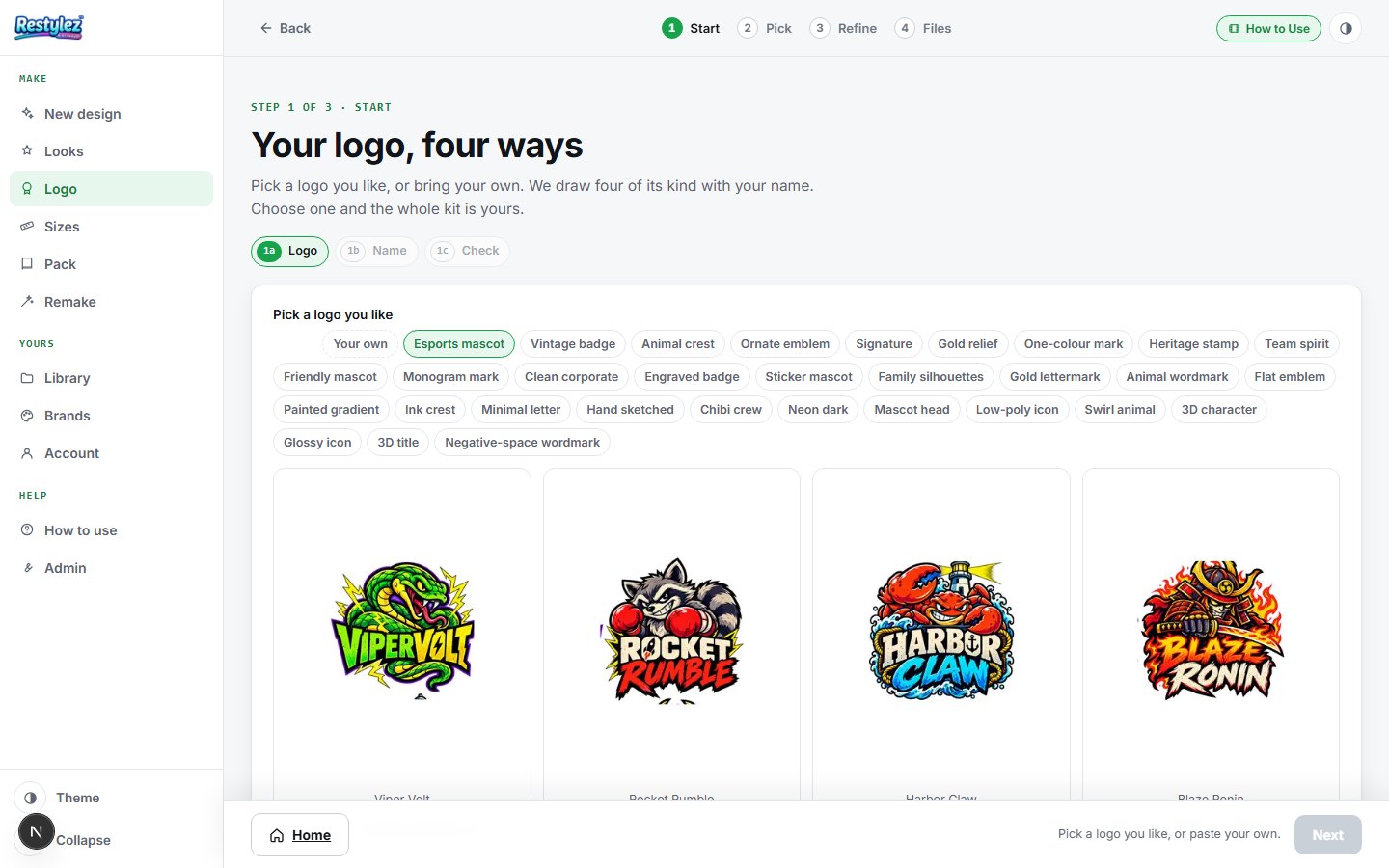
The whole screen · click to open full size - 2
Pick yours: press “Show me 4 logos · free”
Four samples are drawn with your real name, each a sibling of the logo you picked — same style, palette and finish, a different mark. Looking costs nothing. Each card fills in as it lands with an elapsed clock; a spelling badge says whether the name came out right, and a small amber note appears if our quality check thought a sample fell short. Two actions: “This one” on a card accepts it, and “Show me 4 more” in the bar draws another set. Two sets are included; after that each set is $5 (500 credits), said on the button and charged only when the set lands. “Choose styles yourself” opens the whole style library if you would rather pick.
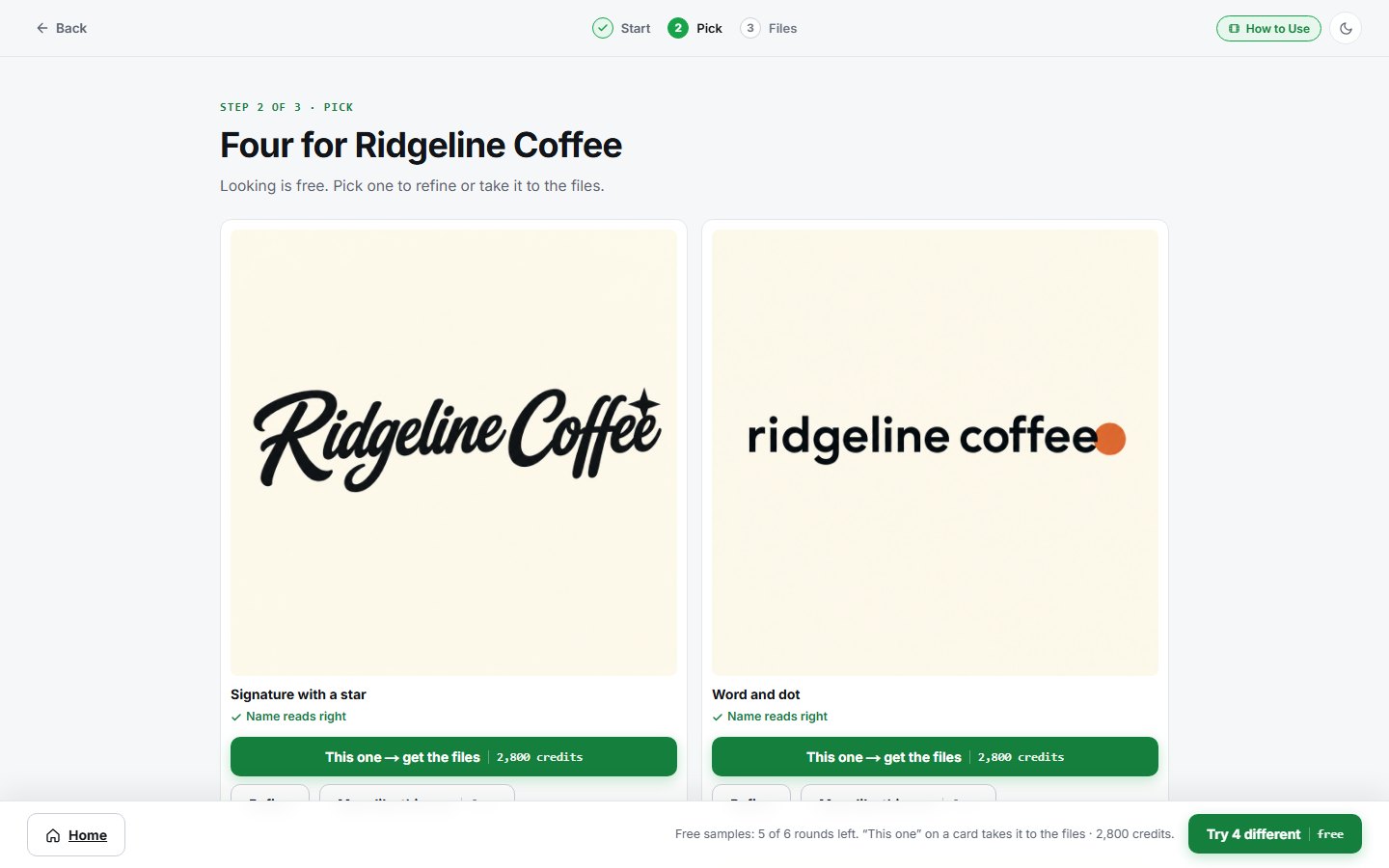
The whole screen · click to open full size - 3
Accept: “This one”
Press it on the sample you want. The sample opens large with the list of everything the one price buys, and one button: “Accept and continue”. That is the one paid moment — one payment of $99 (9,900 credits), taken now — and every format is yours: full color, black and white on transparent, square icons and favicons (PNG and .ico), the social avatar set, a print-size PNG, the SVG for web and print at any size, a one-page brand guide, a starter set (a flyer, a business card and a social post) and 14 days of fine-tuning by chat. If your account is short, the dialog says so and links to top up — nothing is charged.
- 4
Fine-tune it by chat
One screen, two columns: your logo large on the left, a chat on the right. Type what to change — “make the fox face the other way”, “thinner lettering”, “navy instead of black” — and one redrawn version comes back with “Keep this” and “Go back” under it. Keep it and it becomes your logo; go back and nothing changes. One change at a time reads best, and anything you don’t mention stays exactly as it is. Unlimited for 14 days from acceptance; after that each message is $5 (500 credits), said in the box before you send. The conversation is saved to your account, so a paid project reopens here with its whole history.
- 5
Looks perfect — draw it full size
Press that button in the bar. We draw your logo at full size (2,560 pixels), read the name back to check the spelling, and show it to you: “This is the exact artwork your files are made from.” One redraw at no charge if it is not right. Press “Make my files” and the kit is cut from exactly that artwork — nothing more is charged; you paid on acceptance.
- 6
Get every file
Every file is made from the exact artwork you approved: full color, black and white on transparent, previews on dark and light, square icons, the favicons as PNG and as one favicon.ico, the social avatars and the SVG for web and print at any size. Download them one at a time or everything as one zip. “Save as my brand” puts the logo and its colors on every piece you make from now on (the My brand page), and the brand guide and starter set are made from the same page.
If something goes wrong
The messages the page can show, and what to do.
- “Pick a logo you like, then type the business name.”
- Both are required before the button lights: a reference (a house logo, or your own picture) and the name. The button stays gray until both are in.
- ““…” looks like a well-known brand, and we only make logos for businesses that don’t have one yet.”
- The name matches a famous brand. If it is genuinely yours, add a word — what you do or your town — and try again.
- “This one didn’t come through.”
- The maker hit a snag on that sample. “Show me 4 more” draws a fresh set — a sample that fails is never charged.
- “None of the four came through — nothing was charged.”
- The whole set failed, usually a busy image service. Wait a minute and press the button again.
- “That version didn’t come through — nothing was charged.”
- The drawing service stumbled, or the instruction was too vague. Name the thing and the change: “make the bean bigger”, “put the name under the symbol”, and send it again.
- “Accept one of the four first.”
- The full-size artwork and the files come after acceptance. Press “This one” on the sample you want, then “Accept and continue”.
- “Vector not available for this one.”
- The tracer couldn’t get a clean outline from this mark (fine detail or soft edges). The PNGs are full size and print well; a designer can redraw the vector from them.
- “Your 14 days of included changes are up.”
- Fine-tuning was included for 14 days after you accepted. The files are still yours; each message is $5 (500 credits) from here, charged only when the version lands.
- “Could not reach the maker — try again.”
- Your connection dropped for a moment. Check you’re online and press the button again. A job that fails is never charged.
- “You’re out of credits. Add some to keep going.”
- Your balance can’t cover this piece. Add credits on the Account page — your work carries on from where you left off. Nothing was charged.
Other guides