Guide · Photo fix
Photo fix — background out, or bigger
For anyone with a picture that is nearly right — the wrong background, or too small for where it has to go.
Step by step
- 1
Add the picture
Photo fix is the “Fix a photo” mode of the photo maker (/photofix opens it, and the launcher’s Photo tile has an “Open Photo fix” button). One picture, any shape. A phone photo is fine — it is scaled down on the way up, because these tools read at about 1500 pixels across and anything larger is upload time with no benefit. Press Continue.
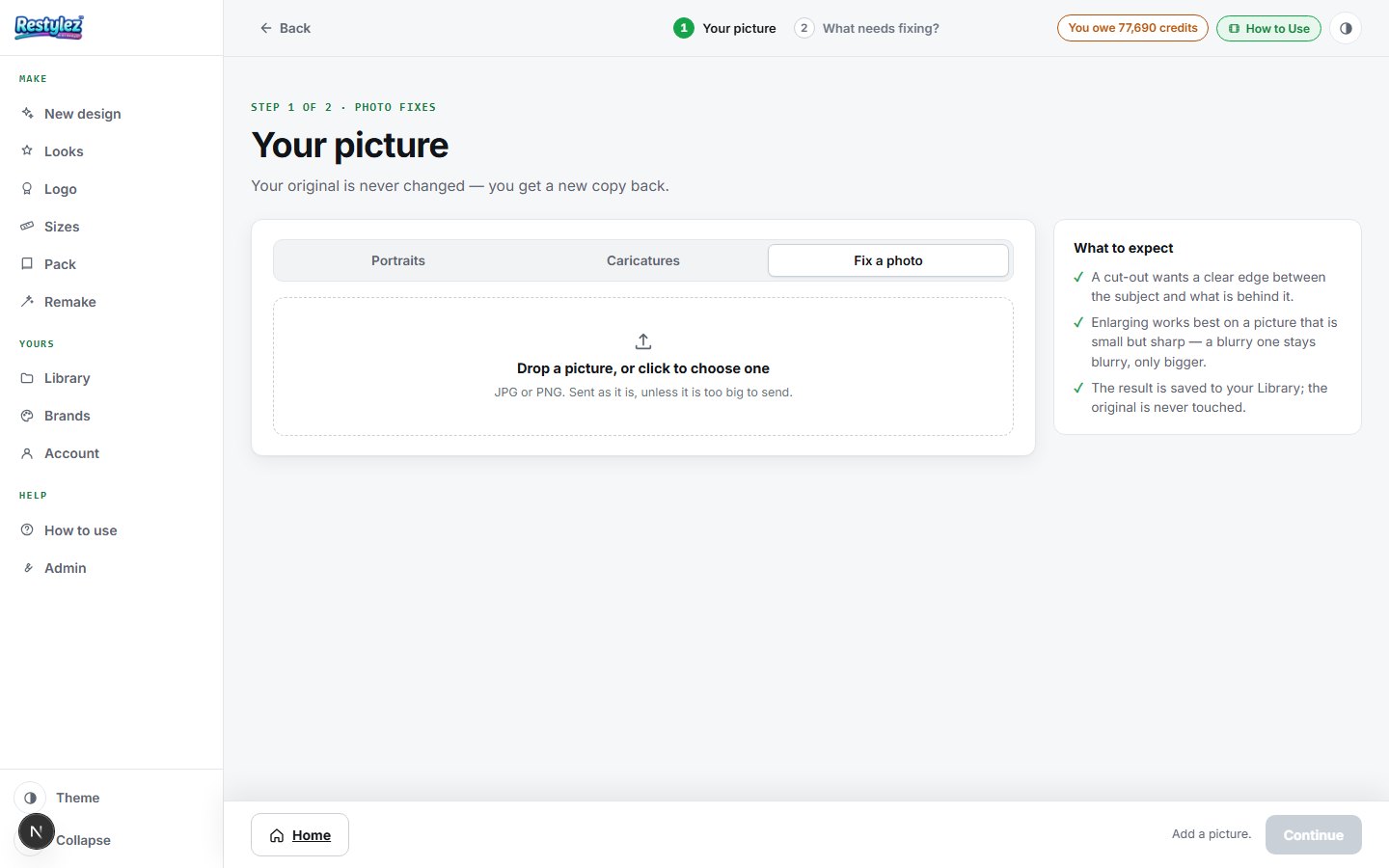
The whole screen · click to open full size - 2
Pick what needs fixing
Two choices. “Remove the background” cuts the subject out onto transparency. “Make it bigger” returns it sharper and larger. If what you actually need is a different size or format — 8.5 x 11, a Facebook banner — that is Sizes, not this page.
- 3
Press the button
It shows exactly what you will pay before you press it. A background comes out in about four seconds; an enlargement is usually under half a minute. One charge for the one thing you pressed, and only if it works.
- 4
Look at both
The result appears beside your original, so you can see exactly what changed. A cut-out is shown on a checkerboard — that pattern is how transparency is drawn on screen, and it is not part of your file.
- 5
Download or keep
Download saves a PNG with the transparency intact. It also saves to your My designs automatically.
If something goes wrong
The messages the page can show, and what to do.
- “Add a picture.”
- Step 1 has no picture in it yet. Drop one on the box or click it to browse.
- “Nothing is changed until you pick the fix.”
- Not an error — Step 2 is waiting for you to choose “Remove the background” or “Make it bigger”.
- “The background looks white, not transparent”
- It is transparent — the checkerboard behind the result is how transparency is shown on screen. Download it and drop it onto a colored slide to see. If you need it on white, put it on white yourself; a PNG with transparency is the more useful file to keep.
- “Make it bigger did not make it much sharper”
- It sharpens what the photo already holds. If the original is very small or badly out of focus there is nothing there to sharpen — a screenshot of a screenshot is the usual culprit.
- “I wanted to change the picture’s shape”
- That lives in Sizes, which fits a picture to whatever size you need — a banner, a story, a letter page. This page only repairs what is in the picture.
- “Could not reach the maker — try again.”
- Your connection dropped for a moment. Check you’re online and press the button again. A job that fails is never charged.
- “There isn’t enough on your account for that. Add money to keep going.”
- Your balance can’t cover this piece. Add money on the Account page — your work carries on from where you left off. Nothing was charged.
Other guides